
What Is WooCommerce Product Information Management?
WooCommerce product information management centralizes all product data, descriptions, images, attributes, pricing, into one system instead of juggling spreadsheets or WordPress backend edits. PIM for WooCommerce automates bulk updates across hundreds of variants, eliminating manual per-product entry. WooCommerce product data management with a dedicated PIM pushes changes to your store in real time, not through clunky CSV imports. The best PIM for WooCommerce stores handles WooCommerce multichannel product sync, keeping your catalog consistent across every sales channel you use.
How WooCommerce Handles Product Data by Default
WooCommerce stores product data in your WordPress database. Each product becomes a post type with custom fields for price, description, images, and inventory. WooCommerce product attributes management lets you create global attribute taxonomies, size, color, material and assign them to individual products. For simple stores under 200 products, this built-in approach works fine. Your team edits each product through the familiar WordPress admin panel. WooCommerce product data sync happens within the same interface.
The system also handles product variations. A single variable product with size and color options creates dozens of child records in the database. WooCommerce product catalog management relies on bulk editing tools that modify multiple products simultaneously, though those tools remain basic. For stores selling simple goods with few attributes, WooCommerce’s native data structure requires no additional software. Product information management WordPress purists appreciate keeping everything under one roof without third-party connectors. Default WooCommerce works, until you outgrow it.
Where WooCommerce Falls Short as a Product Data System
Editing three hundred product variations one by one becomes soul-crushing work. WooCommerce’s native interface forces you to click through each variant to change a single attribute. WooCommerce product information management fails when your catalog exceeds 1,000 SKUs. The backend slows down because WordPress stores every product variation as a separate database row. WooCommerce product attributes management lacks bulk enrichment tools, changing “cotton” to “100% organic cotton” across 500 shirts requires manual updates or complex SQL queries.
Multichannel selling exposes another weakness. WooCommerce multichannel product sync does not exist natively. Selling on Amazon, eBay, or Instagram alongside your WooCommerce store means maintaining separate catalogs manually. WooCommerce product data sync between channels requires third-party plugins that often break after updates. Best PIM for WooCommerce stores solves these problems because WooCommerce alone cannot handle complex catalogs, rich attribute hierarchies, or automated channel syndication. The native system was built for blogs that sell products, not product-first businesses.

What a Dedicated PIM Adds to WooCommerce
A PIM for WooCommerce moves your master product catalog outside WordPress. Your team enriches data in the PIM, descriptions, images, specifications, translations, then syndicates to WooCommerce automatically. WooCommerce PIM integration keeps your store as a publishing endpoint, not a data entry system. A change in the PIM pushes to WooCommerce in real time through API connections. WooCommerce product data management becomes centralized, so updating a dimension once fixes it everywhere, including your store, marketplaces, and comparison engines.
WooCommerce product attributes management improves dramatically. PIMs handle complex attribute hierarchies that WooCommerce cannot represent natively, nested categories, multi-level variants, reference fields linking products. Odoo WooCommerce PIM exemplifies this for Odoo users. WooCommerce multichannel product sync becomes automatic because your PIM pushes to WooCommerce plus Amazon, eBay, Google Shopping, and retail partners from one interface. Product information management WordPress with a dedicated PIM turns your store from a bottleneck into just another channel. Your team focuses on product strategy, not clicking through variant screens. That is the upgrade.
Learn about PIM vs PCM
Signs Your WooCommerce Store Has Outgrown Its Product Management Setup
1. Your Product Catalog Is Growing Faster Than Your Team Can Handle
Adding fifty products weekly sounds great until your team spends four hours daily on manual data entry. WooCommerce’s native bulk editing tools cannot keep pace with aggressive catalog expansion. WooCommerce product catalog management becomes a bottleneck instead of an enabler. Your team starts cutting corners, skipping descriptions, reusing old images, ignoring attribute consistency, just to hit launch dates.
Ten minutes per product across 200 monthly additions equals 33 hours of data entry. WooCommerce product information management with a dedicated PIM cuts that time by 80%. PIM for WooCommerce automates attribute assignment, description templates, and image association. If your team spends more time entering products than selling them, you have outgrown WooCommerce alone.
Learn about PIM Tools.
2. Product Data Is Scattered Across Spreadsheets and Plugins
Your master description lives in Google Sheets, supplier specs sit in an Excel file and images are scattered across folders. WooCommerce holds the final version, but no one knows which file is current. WooCommerce product data management fragments across tools, creating constant reconciliation work. A team member updates a price in Sheets but forgets to push it to WooCommerce.
A merged cell here, a broken formula there, and suddenly your store displays wrong dimensions. WooCommerce product data sync should replace this mess with one source of truth. Best PIM for WooCommerce stores centralizes everything. If your team maintains three separate product files “just to be safe,” you have already lost control. Stop managing data in silos.
3. Inconsistent Attributes Are Breaking Store Filters and Search
Customers filter by “Medium” and find nothing because some products use “M” instead. Searching for “cotton tee” misses products labeled “100% cotton t-shirt.” WooCommerce product attributes management without governance creates a fractured customer experience. Different team members use different naming conventions. Imported products bring vendor-specific attribute values that do not match your taxonomy.
A shopper who filters by “Size L” expects to see all large items, not a partial set. Product information management WordPress with strong attribute management enforces consistent values across every product. WooCommerce PIM integration maps vendor attributes to your standard taxonomy automatically. If your store filters show inconsistent results, your WooCommerce product data management has failed.
Learn about Shopify PIM.
4. Updating Products Across Multiple Channels Takes Too Long
You sell on WooCommerce, Amazon, and eBay, a seasonal sale requires price changes across all three. Without WooCommerce multichannel product sync, your team logs into each platform separately, updates pricing manually, and prays nothing gets missed. One platform inevitably gets forgotten. Customers notice the discrepancy and complain. Trust erodes.
The time waste multiplies with each new channel. Adding Etsy or Walmart doubles the workload. WooCommerce product data sync across channels should be automatic, not a manual project. PIM for WooCommerce pushes one price update to every destination simultaneously. If your team spends Fridays on “channel catch-up day,” you have outgrown isolated product management. Syndication automation is not a luxury, it is a requirement for multichannel sellers.
5. Site Performance Slows Down as SKUs Multiply
WooCommerce stores every product variation as a separate database post. Five thousand simple products? Manageable. Five thousand products each with ten variations? Fifty thousand database rows. Your WordPress database bloats. Queries slow down. Admin pages take ten seconds to load. WooCommerce product catalog management at scale becomes painful because the underlying architecture was not designed for large catalogs.
Shared hosting crashes, caching plugins stop helping and your team wastes minutes waiting for pages to load. Odoo WooCommerce PIM offloads product management to a dedicated system, keeping your WooCommerce database lean. WooCommerce PIM integration means your store only stores what customers see, not your enrichment history. If your admin dashboard spins every time you search for a product, your WooCommerce installation is begging for relief. A dedicated PIM fixes this at the architectural level.

How a PIM System Works With WooCommerce
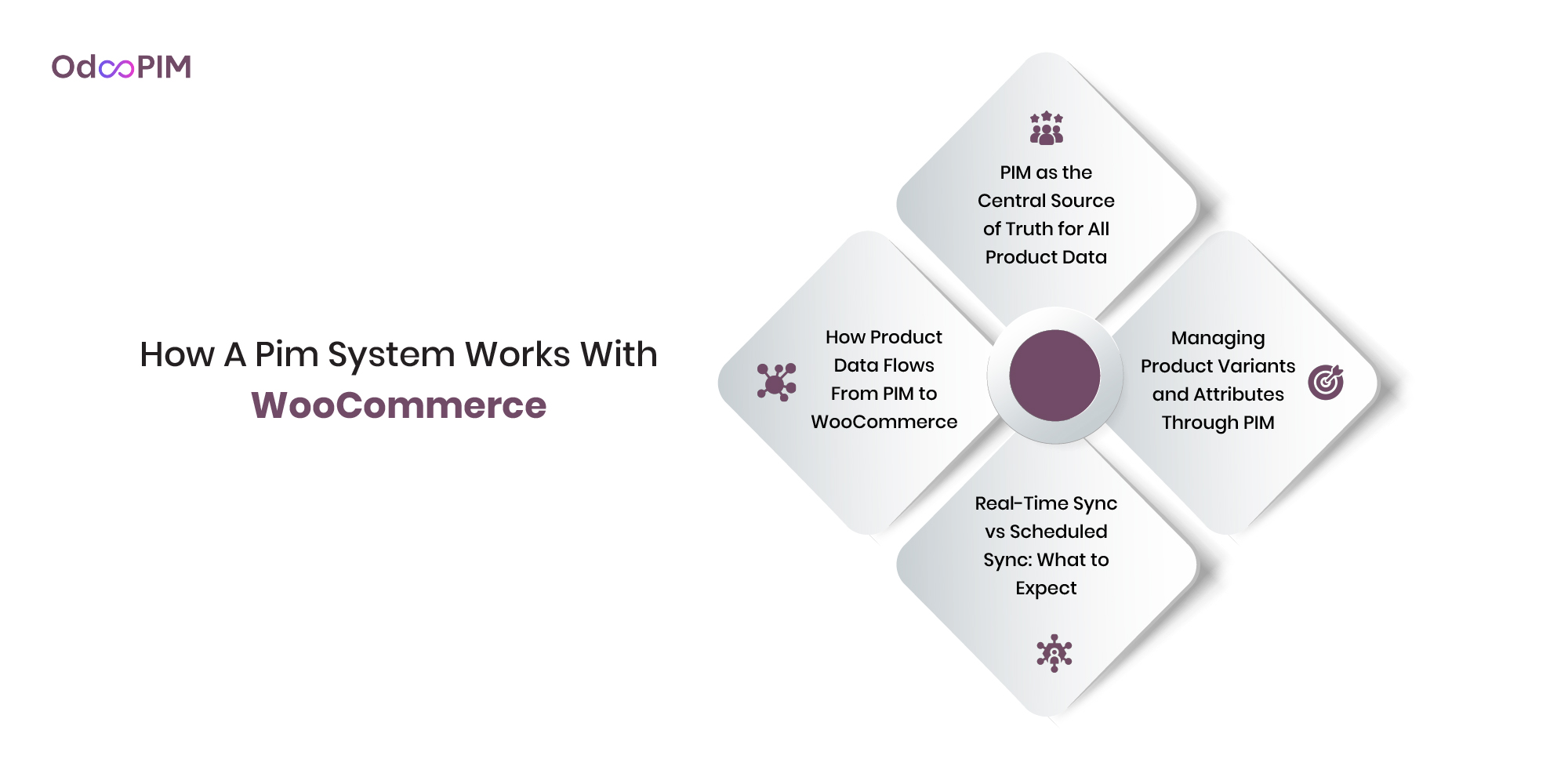
PIM as the Central Source of Truth for All Product Data
A dedicated PIM becomes the master record for every product detail, descriptions, specs, images, pricing, translations. WooCommerce product information management shifts from WordPress to the PIM as your primary workspace. Your team enriches data once inside the PIM, not across spreadsheets or WooCommerce’s backend. Product information management WordPress solutions like Odoo WooCommerce PIM store one version of every attribute, eliminating the “which file is current?” confusion of scattered setups.
WooCommerce becomes a publishing endpoint rather than a data warehouse. The PIM holds everything. WooCommerce displays whatever the PIM sends. WooCommerce product data management centralization means a change in the PIM updates every channel automatically. No more maintaining separate Excel files for your store, your marketplace listings, and your backup records. PIM for WooCommerce turns your store into one of many outputs from a single, trusted source. That is the foundation.
How Product Data Flows From PIM to WooCommerce
The PIM connects to WooCommerce via API or a dedicated connector plugin. WooCommerce PIM integration handles authentication, data mapping, and sync scheduling automatically after initial setup. Your team defines which PIM fields map to which WooCommerce fields, PIM’s “product_name” becomes WooCommerce’s post title. WooCommerce product data sync then pushes product records, categories, attributes, images, and inventory levels directly to your store’s database.
The flow is one-way or two-way depending on your needs. One-way sync pushes enrichment from PIM to WooCommerce. Two-way sync pulls order data and customer reviews back into the PIM for analysis. WooCommerce product catalog management through a PIM means new products created in the PIM appear on your store without manual WooCommerce entry. Best PIM for WooCommerce stores offers field-level mapping, so you control which data moves and how. Set it up once. Let automation handle the rest.
Gartner predicts 75% of B2B organizations will complete their highest-revenue deals via digital channels by 2028 — making clean, consistent product data a non-negotiable foundation.
– Gartner, Magic Quadrant for Digital Commerce 2025
Real-Time Sync vs Scheduled Sync: What to Expect
Real-time sync pushes changes instantly. A product manager updates a description in the PIM, and your WooCommerce store reflects that change within seconds. WooCommerce product data management at this speed works for inventory levels, flash sales, and urgent corrections. Odoo WooCommerce PIM offers real-time sync through persistent API connections. The trade-off: real-time consumes more server resources and requires stable API endpoints.
Scheduled sync runs every hour, daily, or at custom intervals. Lower resource usage suits stores with thousands of products that do not need second-by-second updates. WooCommerce product data sync on a schedule works fine for descriptions, images, and attributes. Price and stock changes demand faster updates for active stores. PIM for WooCommerce typically offers both modes. Use real-time for critical fields. Use scheduled sync for non-urgent enrichment. Pick based on your business rhythm, not marketing hype.
Managing Product Variants and Attributes Through PIM
WooCommerce manages variations as separate database rows, one for small blue, another for medium blue, another for large blue. WooCommerce product attributes management through a PIM handles variants differently. The PIM stores one master product with a matrix of attribute combinations. Product information management WordPress with a good PIM generates WooCommerce variations automatically from that matrix. Add a new color to a shirt, and the PIM creates every size-color combination without manual entry.
Attribute governance improves dramatically. The PIM enforces allowed values for each attribute, size options must come from a predefined list. WooCommerce product attributes management becomes consistent because the PIM controls data entry, not individual team members. WooCommerce PIM integration maps PIM attributes to WooCommerce’s global attribute taxonomies. Bulk changes become trivial. Change “cotton” to “100% organic cotton” across five hundred products with one edit. Best PIM for WooCommerce stores turns variant management from a daily headache into a background process. Your team stops clicking through variation screens and starts optimizing your catalog.
Learn about Cloud PIM
Key Benefits of Using a PIM for WooCommerce
Consistent and Accurate Product Data Across Every Channel
A PIM pushes the same enriched product data to WooCommerce, Amazon, eBay, and Google Shopping simultaneously. WooCommerce multichannel product sync eliminates the manual copy-paste work that creates discrepancies between channels. Your WooCommerce store and your marketplace listings never drift apart because they share one source of truth. WooCommerce product data management consistency means a price correction in the PIM fixes every destination instantly, not one platform at a time.
PIM for WooCommerce also enforces data validation before syndication. Missing images, incomplete specs, or inconsistent attributes get flagged before they reach your store. WooCommerce product data sync with validation prevents the embarrassing scenario of customers finding wrong dimensions on your site. Your team stops firefighting channel mismatches. The PIM handles distribution accuracy automatically.
Faster Product Launches and Time to Market
Creating a product in WooCommerce natively requires clicking through multiple screens, uploading images per variation, and setting attributes individually. WooCommerce product information management with a PIM collapses this into one workflow. Your team enters product details once, associates images in bulk, and publishes. WooCommerce product catalog management becomes a single action instead of a hundred clicks.
The speed advantage multiplies with catalog size. A fifty-product seasonal collection that took two weeks of manual WooCommerce entry becomes a two-day job. Best PIM for WooCommerce stores offers template-based creation, so new products inherit category defaults automatically. WooCommerce PIM integration means launching a flash sale requires updating one price in the PIM, not editing fifty individual product records. Faster launches mean faster revenue.
Cleaner Attribute Mapping and Category Structures
WooCommerce’s native attribute system works for simple stores but breaks with complex hierarchies. A PIM enforces governed taxonomies, size options must come from a predefined list, categories follow consistent naming, attribute values stay standardized. WooCommerce product attributes management through a PIM means no more “M” versus “Medium” chaos because the system blocks non-compliant entries. Your store filters work because attribute values remain consistent across every product.
The PIM also maps vendor attributes to your standard taxonomy automatically. A supplier sends “sz: med” and your PIM transforms it to “Size: Medium” before reaching WooCommerce. Product information management WordPress with attribute mapping eliminates manual cleanup work. Odoo WooCommerce PIM extends this to category structures, automatically placing products in the right WooCommerce categories based on PIM-defined rules. Your store’s navigation stops confusing customers because categories stay logical.
Bulk Editing Without Risk of Breaking Live Listings
Editing fifty products in WooCommerce means fifty separate screens or risky CSV uploads. A PIM offers spreadsheet-style bulk editing with version control and rollback. WooCommerce product data management becomes safe because you stage changes in the PIM before pushing to your live store. Update hundreds of descriptions, swap image sets, or adjust pricing tiers, all in one interface, with one publish action.
The PIM tracks every change. Something breaks? Restore the previous version instantly. WooCommerce product catalog management with a PIM includes approval workflows, so junior team members can propose edits without publishing directly. A manager reviews and approves before changes reach your store. Best PIM for WooCommerce stores offers bulk editing that would crash WooCommerce’s native interface. Your team edits fearlessly because the PIM protects your live store from mistakes.
Better SEO From Richer, More Complete Product Content
Search engines reward detailed, structured product data. A PIM makes rich content easy to create and maintain. WooCommerce product information management with a PIM includes SEO field management, meta titles, descriptions, URL slugs, alt text for images. Your team writes SEO copy once, and the PIM pushes it to WooCommerce along with all other product data. WooCommerce product data sync ensures every product has complete metadata before publishing.
AI-assisted enrichment takes SEO further. The PIM generates meta descriptions, suggests keywords, and flags products missing SEO fields. Product information management WordPress with AI fills the gaps your team would otherwise ignore. PIM for WooCommerce also manages structured data for rich snippets, reviews, pricing, availability, directly in your product records. Better content means higher rankings. Higher rankings mean more traffic. More traffic means more sales. Your WooCommerce SEO starts with complete product data. A PIM delivers that automatically.
Learn about composable commerce

WooCommerce PIM Integration: What to Look For
1. Native API Connection to WooCommerce
A direct API connection beats CSV imports or third-party middleware every time. WooCommerce PIM integration through native API means real-time sync, no manual file uploads, and fewer moving parts that can break. The PIM communicates directly with WooCommerce’s REST API, authenticating securely and pushing product data without intermediate steps. WooCommerce product data sync becomes reliable because you eliminate the “did the CSV export correctly?” uncertainty.
Avoid plugins that require you to download files from your PIM and upload them to WooCommerce manually. That is not integration, that is a slightly better spreadsheet. Best PIM for WooCommerce stores offers one-click connection setup, persistent authentication, and automatic retry logic if the API temporarily fails. WooCommerce product data management through native API means your team stops babysitting data transfers. The connection just works.
2. Support for Variable Products and Complex Variants
WooCommerce variable products combine multiple attributes into unique SKUs, size, color, material, style. Your PIM must handle this complexity natively. WooCommerce product attributes management through a PIM starts with the matrix approach, one master product with attribute combinations rather than fifty separate variation records. The PIM generates WooCommerce variations automatically when you add a new attribute value. Add “red” to a shirt’s color options, and the system creates every size-red combination instantly.
Test the PIM with your most complex product before committing. A jacket with twelve sizes, eight colors, and two materials creates 192 variations. Can the PIM generate, update, and syndicate all of them without slowdown? PIM for WooCommerce with strong variant support handles this easily. WooCommerce product catalog management for complex products demands this capability. Without it, you are just adding another spreadsheet interface.
3. Field Mapping and Data Transformation Capabilities
WooCommerce uses different field names than your PIM or ERP. “Product name” in your PIM might map to “post title” in WooCommerce. “Retail price” becomes “regular price.” WooCommerce PIM integration with field mapping lets you define these relationships once. The system remembers that PIM field X updates WooCommerce field Y automatically. WooCommerce product data sync works correctly even when your source data uses different terminology than the destination.
Data transformation goes beyond simple mapping. The PIM should concatenate fields, reformat text, and apply conditional logic. Combine “brand” and “model” fields into WooCommerce’s “product title.” Convert “in stock” from a text field to a WooCommerce boolean. Product information management WordPress with transformation rules handles these conversions automatically. Odoo WooCommerce PIM exemplifies this, your ERP data transforms into store-ready content without manual reformatting. Set mapping rules once. Trust automation.
4. Digital Asset Management for Images and Media
Images break more integrations than any other data type. Your PIM must handle media sync cleanly, uploading product images to WooCommerce’s media library, assigning them to correct products and variations, and managing alt text. WooCommerce product data management includes image handling. The PIM should compress images appropriately, generate thumbnail sizes, and maintain the relationship between a product and its gallery images.
Look for media transformation features. The PIM should convert image formats, resize for WooCommerce’s requirements, and add watermarking if needed. Best PIM for WooCommerce stores also manages video embeds, 3D models, and PDF specifications as product attachments. WooCommerce product catalog management with strong DAM integration means your team uploads a lifestyle photo once, and the PIM associates it with every relevant product automatically. Manual image management kills productivity. Let the PIM handle assets.
5. Multi-Store and Multilingual Support
Running multiple WooCommerce stores? Each store needs its own product data, pricing, and inventory. WooCommerce PIM integration for multi-store setups lets you map one master product to different store-specific versions. The same base product might cost more in your European store than your North American store. The PIM manages these variations without duplicate records. WooCommerce product data sync to multiple stores happens from one interface, not separate workflows.
Multilingual support works similarly. Your PIM should store localized descriptions, translated attributes, and region-specific images. When you push a product to your French WooCommerce store, the PIM sends French content. The German store receives German content. PIM for WooCommerce with true multilingual capabilities avoids the disaster of translating the same product five times across five spreadsheets. WooCommerce product attributes management across languages means customers see their local language consistently. Global selling without multilingual PIM is just chaos with a passport.
WooCommerce Product Information Management for Different Business Types
WooCommerce PIM for Small Online Stores
Small stores under 500 products often survive without a PIM. Spreadsheets and WooCommerce’s native interface work fine at this scale. But if you spend more than five hours weekly on product data entry, even a small store benefits from WooCommerce product information management. Plytix offers affordable entry points with flat monthly pricing and no per-user fees. PIM for WooCommerce at this size focuses on eliminating manual CSV uploads and reducing typos.
The key is avoiding overkill. Small stores do not need enterprise syndication or complex workflow engines. Best PIM for WooCommerce stores for small businesses includes template-based creation, bulk editing, and basic image management. WooCommerce product data sync should be simple, one-way push from PIM to store, no complex bidirectional requirements. Start with a PIM when managing your products in WooCommerce feels like a second job. Until then, spreadsheets remain acceptable.
WooCommerce PIM for Mid-Size Retailers With Growing Catalogs
At 1,000 to 10,000 products, WooCommerce alone becomes painful. Page load times slow. Attribute management fractures. Your team spends half their time hunting for the right product to edit. WooCommerce product catalog management for mid-size retailers demands a PIM. Akeneo’s Growth tier or Plytix’s mid-range plans handle this scale comfortably. WooCommerce product attributes management centralizes so your team stops navigating WooCommerce’s sluggish variation screens.
A team of three spending ten hours weekly on product data costs roughly $15,000 annually in labor. A $5,000 PIM subscription that cuts that time by 75% pays for itself in four months. WooCommerce PIM integration at this stage should include bulk editing, attribute governance, and scheduled sync. WooCommerce product data management transforms from a daily chore into a weekly review. Mid-size retailers hit the PIM tipping point when WooCommerce’s backend feels like swimming through molasses.
WooCommerce PIM for Manufacturers Selling Direct to Consumer
Manufacturers face unique challenges: technical specifications, CAD files, compliance documents, compatibility matrices, and B2B pricing tiers. WooCommerce product information management for manufacturers must handle complex attribute structures that standard retailers never touch. PIM for WooCommerce in manufacturing starts with ERP integration; your Odoo, SAP, or Microsoft Dynamics feeds product data into the PIM, which then enriches and syndicates to WooCommerce. Odoo WooCommerce PIM exemplifies this native approach.
The manufacturing use case demands variant management for configurable products. A machine with fifty optional features creates thousands of potential SKUs. WooCommerce product data management must generate these variants automatically rather than forcing manual creation. WooCommerce product attributes management should handle reference fields linking products to compatible accessories or replacement parts. Manufacturers also need role-based catalogs, wholesale customers see different pricing than retail shoppers. General-purpose PIMs often miss these B2B features. Choose a PIM for WooCommerce built for industrial complexity.
Learn about Retail PIM.
WooCommerce PIM for Businesses Selling on Multiple Platforms
Your WooCommerce store is one of several channels. You also sell on Amazon, eBay, Etsy, and through wholesale partners. WooCommerce multichannel product sync becomes the core requirement, not an add-on. A PIM pushes your master product data to every destination simultaneously, keeping WooCommerce consistent with your marketplace listings. WooCommerce product data sync across channels means a price change in the PIM updates your store, Amazon, and eBay within minutes.
The alternative is maintaining separate catalogs per channel, a recipe for discrepancies and customer complaints. Best PIM for WooCommerce stores for multichannel sellers includes pre-built connectors to major marketplaces, not just WooCommerce. WooCommerce PIM integration should be one of several outputs. Test the PIM’s ability to handle channel-specific mapping, Amazon needs bullet points, Etsy needs story-driven descriptions, WooCommerce needs both. Product information management WordPress with multichannel focus turns your WooCommerce store into part of a unified distribution engine rather than an isolated data island. Your team enriches once. Every channel benefits. That is the multichannel promise that only a PIM delivers.
Common WooCommerce Product Data Challenges and How PIM Solves Them
Challenge: Duplicate or Inconsistent Product Descriptions
Your team writes five different descriptions for the same product across spreadsheets, supplier files, and WooCommerce drafts. One says “100% cotton.” Another says “pure cotton.” A third says “cotton blend.” WooCommerce product information management without centralization guarantees inconsistency. Customers see different descriptions on your category page versus your product page because someone copied the wrong version. WooCommerce product data sync fails when there is no single source to sync from.
A PIM solves this by storing one master description per product. PIM for WooCommerce becomes the only place where descriptions live. Your marketing team writes the description once in the PIM. WooCommerce PIM integration pushes that exact description to your store, category pages, and search indexes simultaneously. No duplicates. No drift. No “which version is right?” debates. WooCommerce product catalog management with a PIM guarantees consistency because there is only one version to manage.
Challenge: Missing Attributes Causing Broken Filters
A customer filters by “Size: Large” and sees only half your large products. The rest are missing size attributes or use “L” instead of “Large.” WooCommerce product attributes management without governance creates a frustrating shopping experience. Your team manually enters attribute values per product, and consistency depends on who had a good day at work. WooCommerce product data management fails when filters mislead customers, increasing bounce rates and decreasing conversions.
A PIM enforces attribute completion and standardization. The system blocks publishing products missing required fields. WooCommerce product attributes management through a PIM uses dropdown menus with predefined values, eliminating free-text entry. Suppliers send “size: med” and the PIM transforms it to “Size: Medium” automatically. Best PIM for WooCommerce stores validates every attribute before syndication. Your store filters show accurate results because every product has complete, standardized attribute data. WooCommerce PIM integration turns broken filters from a daily complaint into a solved problem.
Challenge: Manual Updates Causing Errors Across Channels
A seasonal sale starts tomorrow. Your team logs into WooCommerce, updates prices on fifty products, then logs into Amazon to repeat the process, then into eBay. Someone misses eBay. A customer finds the old price and complains. WooCommerce multichannel product sync manual workflows guarantee errors because humans forget steps. WooCommerce product data sync across channels becomes a weekly scramble rather than an automated process.
A PIM automates this completely. Update the sale price once in the PIM. WooCommerce PIM integration pushes that price to your store instantly. WooCommerce multichannel product sync simultaneously updates Amazon, eBay, and any other connected channel. PIM for WooCommerce with channel syndication eliminates manual per-platform updates. The PIM remembers every destination and applies the change everywhere. Your team stops playing whack-a-mole with channel discrepancies. WooCommerce product data management shifts from manual data entry to strategic oversight. Errors drop to near zero because automation replaces repetitive human tasks.
Challenge: No Version Control or Content Approval Process
A junior team member updates a product description and accidentally deletes critical compliance language. No one notices until a customer complains. WooCommerce product information management without version control means you cannot revert to the previous version. You have no audit trail showing who made which change and when. WooCommerce product data management becomes risky because every edit is permanent and invisible.
A PIM provides full version history and rollback. Every change gets logged with a timestamp and user ID. Product information management WordPress with workflow tools lets you revert to any previous version with one click. Approval chains add another layer, junior staff propose edits, managers review and approve before changes reach your live store. Best PIM for WooCommerce stores includes role-based permissions so compliance-sensitive fields require senior approval. WooCommerce PIM integration only pushes approved content to your store. Your live catalog stays protected from accidental errors. Audit trails satisfy compliance requirements. Your team edits confidently because mistakes are reversible, not permanent. That is the difference between a database and a proper PIM for WooCommerce.

WooCommerce PIM vs Managing Products Natively in WordPress
What Native WooCommerce Product Management Looks Like
You log into WordPress, navigate to Products, and click “Add New.” A form appears with fields for title, description, price, and inventory. For simple products with no variants, this works fine. WooCommerce product catalog management natively means creating each product individually, uploading images one by one, and setting attributes per product. A team member spends five to ten minutes per simple product, longer for variable products with size and color combinations.
Variable products reveal the cracks. You create the parent product, then generate each variation individually, small blue, medium blue, large blue, small red, medium red, large red. Each variation needs its own SKU, price, and image. WooCommerce product attributes management natively becomes a clicking marathon. A jacket with three sizes and four colors requires twelve variations, each requiring separate data entry. WooCommerce product data management at scale means your team spends hours clicking through variation screens instead of doing strategic work. Native WooCommerce works for tiny catalogs. It collapses under real scale.
Learn about Product Content Syndication — What It Is and How PIM Makes It Work
What the Same Workflow Looks Like With a PIM Connected
You open your PIM dashboard instead of WordPress. Create a new product, fill in master data once, upload images in batches. WooCommerce product information management with a PIM handles variants differently, you define attribute combinations as a matrix, not individual records. A jacket with three sizes and four colors becomes one product record with a matrix of twelve combinations. PIM for WooCommerce generates all variations automatically. Your team spends two minutes per product instead of ten.
WooCommerce PIM integration then pushes everything to your store in one click. The PIM creates the parent product, generates all variations, assigns images, sets attributes, and syncs inventory, all without manual WordPress entry. WooCommerce product data sync happens in seconds, not hours. Bulk updates work the same way. Change the material from “cotton” to “organic cotton” across five hundred products? One edit in the PIM updates every variation instantly. Product information management WordPress with a PIM turns product management from a tedious chore into a streamlined workflow. Your team stops clicking through variation screens and starts optimizing your catalog strategy.
When Does It Make Sense to Add a PIM to WooCommerce?
Add a PIM when your catalog exceeds five hundred products or your team spends more than ten hours weekly on product data entry. WooCommerce product catalog management becomes painful when you dread adding new products or hesitate to launch seasonal collections because of the data entry burden. Best PIM for WooCommerce stores pays for itself through time saved and errors eliminated. If you sell across multiple channels, WooCommerce plus Amazon, eBay, or retail partners, a PIM becomes essential, not optional.
Also add a PIM when attribute inconsistency damages your store. If customers complain about broken filters or your team cannot agree on standard size names, WooCommerce product attributes management needs governance that only a PIM provides. Odoo WooCommerce PIM makes particular sense if you use Odoo for ERP. The threshold varies by business, but the signs are universal, slow product creation, inconsistent data, channel errors, and team frustration. WooCommerce PIM integration solves these problems. The right time to add a PIM is before these issues cost you sales, not after. Most store owners wait too long and pay the price in lost revenue and wasted labor.
How OdooPIM Works With WooCommerce
Connecting OdooPIM to Your WooCommerce Store
OdooPIM connects to WooCommerce through Odoo’s native WooCommerce connector module. Install the connector from Odoo’s Apps menu, enter your WooCommerce API credentials, and map your store’s data fields. WooCommerce PIM integration takes minutes, not weeks, because Odoo builds the connector internally rather than relying on third-party plugins. Odoo WooCommerce PIM shares the same database as your Odoo ERP, so product data flows from your ERP through the PIM to WooCommerce without middleware.
The connector handles authentication, rate limiting, and error logging automatically. Your team never touches API keys after initial setup. WooCommerce product data management through OdooPIM supports both one-way sync (PIM to WooCommerce) and two-way sync (orders and inventory from WooCommerce back to Odoo). PIM for WooCommerce with native Odoo integration eliminates connector maintenance headaches. No monthly fees for third-party sync plugins. No debugging broken middleware at 10 PM before a product launch.
Managing Product Data in OdooPIM and Syncing to WooCommerce
Your team manages all product data inside OdooPIM, not WooCommerce. Enrich descriptions, upload images, set attributes, define pricing tiers. WooCommerce product information management happens within Odoo’s familiar interface. The PIM stores master product records with attribute families, variant matrices, and channel-specific transformations. When ready, you publish products to WooCommerce with one click or set automated sync schedules.
WooCommerce product data sync transfers product names, descriptions, prices, inventory levels, categories, attributes, images, and SEO metadata. WooCommerce product attributes management through OdooPIM maps your Odoo attribute families to WooCommerce’s global attribute taxonomies. Variable products with size and color combinations sync as proper WooCommerce variations, not flat SKU lists. WooCommerce product catalog management becomes a background process rather than a daily manual grind. Your WooCommerce store always reflects the latest data from your OdooPIM because sync runs automatically, not when someone remembers to export a CSV.
Why Odoo Users Benefit From OdooPIM for WooCommerce
Existing Odoo users already manage inventory, pricing, and customers inside Odoo. Adding OdooPIM extends that workflow to product enrichment and syndication without duplicating data entry. WooCommerce product data management inherits your Odoo ERP data automatically, your product names, SKUs, costs, and stock levels already live in the system. PIM for WooCommerce within Odoo means your team enriches data once, and that enriched data flows to your WooCommerce store and your ERP records simultaneously.
The alternative, using a separate PIM like Akeneo or Plytix alongside Odoo, requires building and maintaining middleware connections. Two systems mean two databases, two sync layers, and two points of failure. Odoo WooCommerce PIM eliminates that complexity completely. WooCommerce PIM integration becomes native rather than bolted on. Odoo users also avoid learning a second interface. The same Odoo dashboard you use for accounting and inventory now handles woocommerce product information management. That integration advantage alone often justifies choosing OdooPIM over standalone alternatives.
Getting Started With OdooPIM and WooCommerce Integration
First, ensure your Odoo instance includes the PIM module and the WooCommerce connector. Both are available through Odoo’s Apps interface. Odoo WooCommerce PIM setup begins with installing these modules, a five-minute task for any Odoo user with admin access. Second, generate API credentials from your WooCommerce store (REST API keys under Advanced Settings). Enter those credentials into Odoo’s WooCommerce connector configuration.
Third, map your data fields. Tell Odoo which product fields correspond to which WooCommerce fields. Define how Odoo attribute families map to WooCommerce global attributes. Set sync direction and schedule. WooCommerce product data sync can run continuously or on a schedule. Fourth, test with a single product before scaling. Push one item to WooCommerce, verify everything appears correctly, then expand. The best PIM for WooCommerce stores for Odoo users is OdooPIM by default because no other PIM offers this level of native integration. WooCommerce product catalog management transforms from a weekly headache into a background process. Most Odoo users complete setup and sync their first products within two hours.

Frequently Asked Questions
1. Do I Need a PIM If I Already Use WooCommerce?
You need a PIM when native WooCommerce becomes painful. Under 500 simple products, probably not. Above 1,000 products or with complex variants, absolutely yes. WooCommerce product data management natively means clicking through variation screens and manual CSV uploads. A PIM for WooCommerce automates bulk edits, enforces attribute consistency, and syndicates to multiple channels. If your team spends more than ten hours weekly on product data entry, a PIM pays for itself within months. WooCommerce product catalog management without a PIM works for tiny stores. Growing stores need the upgrade.
2. What Is the Best PIM for WooCommerce in 2026?
For most WooCommerce stores, Plytix offers the best balance of price and features, flat monthly fees, no per-user charges, direct WooCommerce connector. The best PIM for WooCommerce stores for Odoo users is OdooPIM, which shares the same database as your ERP. Akeneo suits mid-market retailers needing complex attribute hierarchies. WooCommerce product information management success depends on your catalog size, team structure, and budget. Test two finalists with your product data before committing. The “best” PIM is the one your team uses six months after purchase, not the one with the longest feature list.
3. Can a PIM Sync to Multiple WooCommerce Stores at Once?
Most PIM for WooCommerce platforms support multiple store connections from one PIM account. You manage product data once, then syndicate to Store A, Store B, and Store C simultaneously. WooCommerce multichannel product sync across multiple stores works especially well for brands running regional stores (US, EU, Asia) or B2B and B2C storefronts separately. Odoo WooCommerce PIM handles this natively because Odoo supports multi-company architecture. Each store receives the same master data but can have store-specific pricing, inventory, or product assortments. One PIM. Infinite WooCommerce stores.
4. Does OdooPIM Integrate Directly With WooCommerce?
Odoo WooCommerce PIM includes a native WooCommerce connector available through Odoo’s Apps menu. Install the module, enter your WooCommerce API credentials, map your fields, and sync. WooCommerce PIM integration takes minutes because Odoo builds the connector internally, not through third-party plugins. The connection supports one-way sync (PIM to WooCommerce) and two-way sync (orders and inventory back to Odoo). WooCommerce product data sync happens in real time or on a schedule. For Odoo users, this native integration eliminates the middleware and monthly connector fees required by standalone PIMs like Akeneo or Plytix.
5. How Is a PIM Different From a WooCommerce Product Import Plugin?
An import plugin loads CSV files into WooCommerce once. A PIM maintains ongoing sync. Import plugins handle one-directional, one-time data transfers. WooCommerce product data management with a PIM means continuous updates, change a price in the PIM, and your store updates automatically without exporting another CSV. Product information management WordPress with a PIM also includes attribute governance, version control, approval workflows, and multichannel syndication. Import plugins do none of that. Think of import plugins as a conveyor belt delivering boxes. Think of a PIM for WooCommerce as a smart warehouse that manages inventory, checks quality, and ships to multiple destinations automatically. Different tools for different scales.