
Why Amazon SEO Is Different From Google SEO
How A9 ranks products
Amazon’s A9 algorithm ranks products based on sales velocity and conversion rate, not backlinks or domain authority like Google. Amazon SEO tips that work for Google will fail on Amazon because A9 only cares about how well your listing converts browsers into buyers. You cannot build backlinks to an Amazon product page, and guest posting has zero impact on Amazon rankings. Amazon SEO strategy must focus on product data completeness, keyword placement, and conversion optimization rather than traditional SEO tactics. A Google SEO expert who tries to apply the same playbook to Amazon will waste time and money chasing factors that the A9 algorithm completely ignores. Learn the platform’s unique rules before spending a dollar on optimization.
Relevance vs. conversion signals
Relevance signals include keywords in titles, bullet points, and backend search terms that tell Amazon what your product is. Conversion signals include click-through rate, purchase rate, and sales velocity that tell Amazon whether customers actually want your product. Amazon optimization requires balancing both because relevance gets you seen but conversion gets you ranked. A perfectly keyword-optimized listing with poor conversion will never rank well in Amazon’s search results. Amazon does not care if your listing has every keyword placed if customers click on it and then immediately bounce back to search results. Conversion is the tiebreaker that separates page one winners from page three also-rans.
Why product data completeness matters most
How to write keywords in Amazon listings means nothing if your product attributes are incomplete or inconsistent. Missing GTINs trigger listing suppressions, missing brand names drop rankings, and inconsistent size values across variants break search filters. Amazon listing optimization tips start with filling every attribute field Amazon offers for your category, because complete data signals professionalism while incomplete data signals low effort to the algorithm. Amazon’s algorithm gives ranking preference to products with complete attribute profiles because those listings provide a better customer experience. The seller who fills 50 attribute fields will consistently outrank the seller who fills only the 12 required fields, all else being equal.
Learn about Amazon Product Information Management

Amazon SEO Tips for Listing Content
1. How to write keywords in Amazon titles
Your primary keyword belongs within the first 80 characters of your product title, followed by brand name, key features, size, and color. Adding keywords to amazon listings requires natural language that reads well for shoppers while including search terms, because keyword stuffing like “Coffee Maker Coffee Machine Brewer” looks spammy and hurts conversion rates. Amazon SEO tips for titles prioritize readability first, since higher conversion rates tell Amazon to rank you higher. A title that reads smoothly and clearly communicates the product’s value will always outperform a stuffed, unreadable title that tries to cram in every possible keyword. Write for human eyes first, then optimize for Amazon’s algorithm second.
2. Bullet points that balance SEO and readability
Each bullet point should follow a consistent structure: feature first, benefit second, specification third, so customers can scan quickly and find what matters to them. Amazon listing optimization tips recommend placing secondary keywords naturally within bullet points, but never at the expense of readability because stuffed bullets confuse shoppers and kill conversions. How to write keywords in Amazon bullets means including terms customers actually search for while explaining why those features matter to their purchase decision. A bullet point that reads “100% cotton fabric: soft, breathable, and machine washable for easy care” includes keywords naturally while telling customers why cotton matters. Bullets that list features without explaining benefits will not convert, and bullets that stuff keywords without making sense will drive customers away.
3. Product descriptions and A+ content
Product descriptions allow 2,000 characters for longer-form content where you can tell your brand story and explain technical details that bullet points cannot accommodate. Amazon SEO strategy for A+ content includes comparison charts, enhanced descriptions, and brand story modules that can increase conversion rates by 5-15%. Amazon optimization with rich media tells Amazon you are a professional seller worth ranking highly, while thin content signals mediocrity that the algorithm will punish. A+ content also keeps customers on your page longer, which signals engagement to Amazon and can positively influence your organic rankings. Sellers who invest in A+ content consistently outrank those who skip it, because better content drives better conversion rates.
Learn about Amazon Catalog Management

Adding Keywords to Amazon Listings the Right Way
Where to place primary keywords
Primary keywords belong in your product title within the first 80 characters, in your first bullet point, and in your backend search terms. Adding keywords to amazon listings requires mapping each keyword to its correct field because random placement wastes opportunities and strategic placement directly drives organic rankings. Amazon SEO tips emphasize that secondary keywords fit naturally in remaining bullet points and product descriptions, while long-tail keywords go into backend search terms. A keyword that appears in your title, first bullet, and backend terms tells Amazon that this term is critically important to your product. A keyword buried in your description with no other mentions signals low relevance and will not help you rank.
Backend search terms best practices
Backend search terms are invisible keywords that customers never see but Amazon’s algorithm absolutely reads, making them free real estate that most sellers leave completely empty. How to write keywords in Amazon backend fields means using all 1,250 bytes for generic keywords plus 500 bytes for specific product types with misspellings, synonyms, and long-tail phrases. Never repeat keywords across fields, never use commas because spaces work better, and never include prohibited phrases like “best” or “cheap.” The sellers who fill their backend fields capture search traffic that their competitors ignore, giving them a significant ranking advantage for long-tail keywords. An empty backend field is a missed opportunity that your competitors are exploiting every single day.
Avoiding keyword stuffing
Keyword stuffing in titles like “Coffee Maker Coffee Machine Brewer Espresso Machine” looks spammy to shoppers and hurts conversion rates, which signals Amazon to rank you lower. Amazon optimization requires natural language that reads well for humans while including search terms, because Amazon’s algorithm tracks conversion rates and unreadable listings destroy them. Amazon listing optimization tips recommend using each keyword once in the most relevant field rather than repeating the same term multiple times across your listing. A well-optimized listing uses each keyword where it belongs, primary keywords in titles, secondary keywords in bullets, long-tail keywords in backend fields, without any repetition or stuffing. Less is mostly more when it comes to keyword placement on Amazon.
Learn about Amazon Content Management
Amazon Listing Optimization Tips for Large Catalogs
Prioritize high-traffic SKUs first
When optimizing thousands of products, start with your best-selling SKUs that generate the most traffic and revenue, because fixing those gives you the fastest return on your optimization effort. Amazon SEO strategy for large catalogs requires prioritizing products with the highest sales velocity, since improving rankings on those products drives immediate revenue gains. Amazon listing optimization tips suggest creating a tiered approach: Tier One products get full optimization, Tier Two get standard optimization, Tier Three get basic completeness. A product that sells 1,000 units monthly deserves more optimization attention than a product that sells 10 units monthly, because the ranking improvement on the high-volume product will drive significantly more revenue. Focus your limited optimization resources where they will generate the highest return.
Use attribute templates for consistency
Attribute templates apply the same field structure to every product in a category, so electronics products automatically get voltage and battery life fields while apparel gets size and fabric fields. Amazon optimization with templates ensures that new products inherit complete attribute structures automatically, eliminating missing field problems and inconsistent data entry across your team. Adding keywords to amazon listings becomes systematic because every product in the same category follows the exact same optimized structure. A seller who defines templates once and applies them to thousands of products saves countless hours of manual field creation while ensuring perfect consistency across their catalog. Templates are the only way to maintain data quality at scale.
Bulk edit to fix gaps across hundreds of listings
Bulk editing updates thousands of products with a single action, adding a winning keyword to backend search terms across your category in minutes instead of weeks of manual copy-paste work. Amazon SEO tips for large catalogs emphasize that manual per-product editing does not scale, and sellers who try will drown in repetitive work while competitors pass them. How to write keywords in Amazon listings at scale requires bulk update capabilities that your spreadsheets and Seller Central simply cannot provide. A seller with 10,000 SKUs who manually updates each product will never finish their optimization work, because new products and new keywords will appear faster than they can manually process them. Bulk editing is not a luxury feature for enterprise sellers, it is an absolute necessity for anyone with more than 500 SKUs.
Learn about Amazon PIM software

Amazon Optimization Tips for Product Data Quality

Fill every attribute: not just the required ones
Amazon marks certain attributes as required, but optional attributes are not optional for SEO because they provide additional signals that help the algorithm understand your product. Amazon listing optimization tips recommend filling every single attribute field Amazon offers for your category, from basic identifiers to category-specific fields like voltage for electronics. Amazon SEO strategy without complete attributes fails because the seller with 50 completed attributes will consistently outrank the seller with 12 completed attributes. An optional attribute like “material” might seem unimportant, but a customer searching for “100% cotton sheets” will only find your product if you filled that material field correctly. Every empty attribute field is a missed opportunity to match a customer search query.
Keep titles, bullets and descriptions aligned
Your title, bullets, and description must tell a consistent story about your product, because conflicting information confuses customers and triggers returns that hurt your ranking signals. Amazon optimization with aligned content means your title promises features that your bullets explain and your description details, creating a smooth customer journey from search result to purchase. Adding keywords to amazon listings works best when keywords appear naturally across all fields rather than being stuffed into one section. A title that says “waterproof Bluetooth speaker” followed by bullets that explain the IPX7 rating and a description that details underwater performance creates a consistent, convincing story. A title that promises waterproofing but bullets and descriptions that never mention it will confuse customers and increase return rates.
Audit listings regularly for missing content
Catalog quality degrades over time as new products are added without complete attributes and as Amazon updates its category requirements without your team noticing. How to write keywords in Amazon listings requires regular audits that check for missing attributes, inconsistent values, empty backend terms, and outdated content. Amazon SEO tips for maintenance recommend monthly audits for fast-moving catalogs and quarterly audits for stable catalogs, with completeness scores to track your progress over time. A seller who audits monthly catches missing fields before they cause suppressions, while a seller who never audits discovers problems only when customers complain or rankings drop. Regular audits are the difference between proactive quality management and reactive firefighting.
What a Strong Amazon SEO Strategy Covers
1. Keyword research and placement
A strong amazon SEO strategy begins with discovering what shoppers type into Amazon’s search bar, not guessing which terms might work, because primary keywords belong in the first 80 characters of your product title while secondary keywords fit naturally into bullet points and long-tail keywords go into backend search terms that customers never see but Amazon’s algorithm absolutely reads. Generate seo keywords for amazon using tools like Helium 10 or Jungle Scout to identify high-volume, high-conversion phrases, then map each keyword to its correct field because random keyword placement wastes opportunities and strategic placement directly drives organic rankings. Without proper keyword research, you are throwing darts blindfolded at a board you cannot see, hoping something sticks. Do the research first, place keywords strategically second, and watch your rankings climb as a direct result of that effort.
2. Listing content optimization
Amazon product listing optimization goes far beyond keyword placement because bullet points must combine features, benefits, and specifications in a scannable format that answers customer questions before they even ask them, and product descriptions need rich, compelling content that tells a story while including secondary keywords naturally throughout the text. Amazon search engine optimization demands complete, high-quality images with white backgrounds, multiple angles showing the product in use, and lifestyle shots that help customers visualize ownership, because Amazon’s algorithm tracks conversion rates and higher conversion rates signal relevance to the search query. A listing with thin content and poor images will never rank regardless of how perfectly you place keywords, because Amazon wants to surface products that actually sell, not products with perfect SEO but terrible presentation. Great content converts browsers into buyers, and converted buyers tell Amazon to rank you higher.
3. Product data completeness and accuracy
Amazon optimization fails completely when your product data is incomplete or inaccurate, because missing GTINs trigger listing suppressions, missing brand names drop your organic rankings, and inconsistent size values across variants break search filters that customers rely on to find what they need. How to rank for keywords on amazon starts with filling every single attribute field that Amazon provides for your category, from basic identifiers like SKU and GTIN to category-specific fields like voltage for electronics or fabric type for apparel. A wrong dimension in your product data triggers customer returns, and every return signals to Amazon that your listing is unreliable, which hurts your organic rankings. Complete, accurate product data is not optional, it is the absolute foundation of any successful Amazon SEO strategy, and without it, no amount of keyword optimization or content improvement will save you.
Learn about Amazon PIM
How a PIM Puts These Tips Into Practice
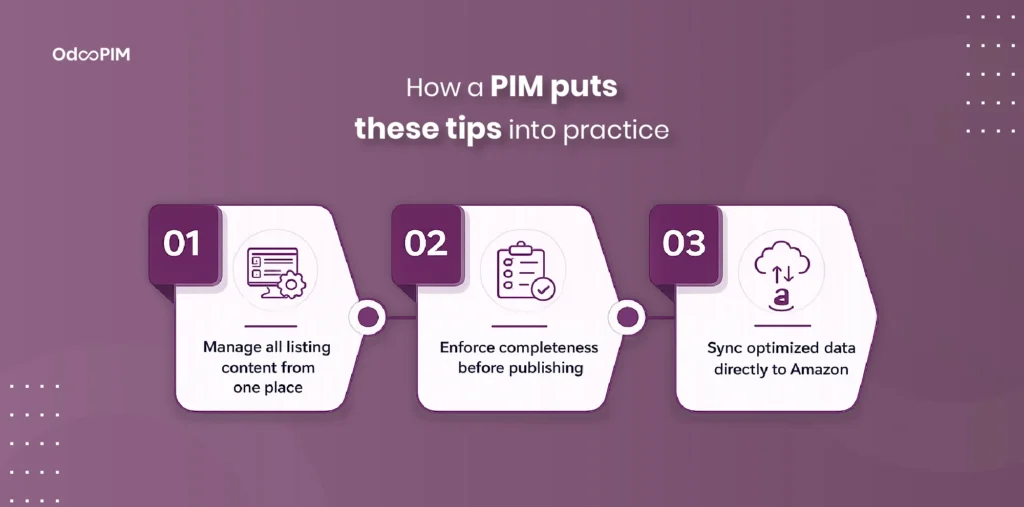
Manage all listing content from one place
A PIM centralizes every amazon listing optimization tips element, titles, bullets, descriptions, backend terms, images, and A+ content, into one database, eliminating spreadsheet chaos and version conflicts. Amazon SEO strategy with centralization means your team stops asking “which file is current?” because only one version exists, and a title change in the PIM updates every channel automatically. How to write keywords in Amazon becomes systematic rather than chaotic, with every product following the same optimized structure because the PIM enforces it. A PIM also maintains version history and audit trails, so you can see who changed what and when, and revert to previous versions if something breaks. Spreadsheets cannot provide this level of control and accountability.
Enforce completeness before publishing
Validation rules in a PIM block incomplete or inaccurate product data from ever reaching Amazon, preventing suppressions caused by missing GTINs, missing brand names, or empty backend term fields. Adding keywords to amazon listings with pre-validation ensures that every product has complete attributes before syndication, because products below your completeness threshold cannot publish. Amazon optimization with PIM validation means you fix issues in the PIM once, then publish with confidence that nothing missing reaches your live listings. Completeness scoring shows which products need attention, sorted by lowest score so you fix the biggest problems first. Your team works from a prioritized list rather than guessing where to start.
Sync optimized data directly to Amazon
A PIM connects to Amazon Seller Central via API, eliminating CSV exports, flat file uploads, and manual steps that introduce errors and delays into your publishing workflow. Amazon SEO tips with direct API sync mean optimized titles, bullets, and backend terms push to Amazon automatically on a schedule you configure, without any human intervention after setup. How to write keywords in Amazon with PIM execution means your optimizations go live within minutes of approval, giving you real-time ranking signals instead of delayed updates from manual uploads. Direct sync also eliminates the risk of upload failures caused by formatting errors in CSV files, because the API connection handles data transformation automatically. Your team focuses on optimization strategy while the PIM handles the technical execution.
How OdooPIM Powers Your Amazon SEO Strategy
Generate SEO keywords and map to listing fields
Generate seo keywords for amazon using your favorite research tools like Helium 10, Jungle Scout, or MerchantWords, then export those keyword lists as CSV files and import them directly into OdooPIM where you can map each keyword to its correct Amazon field, primary keywords go to title fields, secondary keywords map to bullet points, and long-tail keywords populate backend search term fields without any manual copy-paste or spreadsheet manipulation required. Amazon SEO strategy with OdooPIM turns research into immediate action because keywords go from your discovery tool into your PIM and then to Amazon Seller Central without ever touching a spreadsheet or requiring manual data entry from your team. You stop wasting hours copying and pasting keywords from research exports into flat files, and you start executing at the speed of ecommerce where opportunities disappear if you do not seize them immediately. Research tools find opportunities, but OdooPIM executes them at scale, and you need both halves of that equation to win on Amazon.
Optimize titles, bullets and descriptions centrally
Amazon product listing optimization in OdooPIM happens in one centralized database rather than across dozens of scattered spreadsheets, because title templates enforce consistent formatting across your entire catalog so that every product in the same category follows the same winning title structure every single time. Bullet point structures lock in your proven formula, feature first, benefit second, specification third, so that your team never has to reinvent the wheel for each new product and consistency improves across your catalog. Amazon search engine optimization with centralization means a single title correction or bullet point improvement applies to every relevant ASIN in your catalog automatically, eliminating the per-product manual edits that kill productivity at scale. One change, infinite updates, no version conflicts, and a catalog that stays optimized without consuming your team’s entire week, that is the power of centralized optimization in OdooPIM.
Enforce completeness before publishing
Amazon optimization requires rigorous validation before any product data reaches Amazon, which is why OdooPIM assigns a completeness score to every product in your catalog based on how many required attributes are populated and whether those values meet Amazon’s format requirements. Products that fall below your specified completeness threshold cannot syndicate to Amazon at all, which means missing GTINs, missing brand names, empty backend search term fields, and incomplete image sets are caught and fixed in OdooPIM before they ever cause a listing suppression. How to rank for keywords on amazon depends on complete listings because Amazon’s algorithm simply will not rank products that are missing critical attribute data, and OdooPIM’s completeness scoring ensures that incomplete products never make it to your live catalog. You fix issues in the PIM once, and then you syndicate with confidence knowing that every product reaching Amazon has every required field populated, every attribute correctly formatted, and every SEO element fully optimized.
Learn about Amazon SEO Software
FAQs
1. What are the most important Amazon SEO tips for new sellers?
Amazon SEO tips for new sellers start with filling every single attribute field Amazon offers for your category, because missing GTINs or brand names trigger suppressions and kill rankings. Place your primary keyword within the first 80 characters of your title, write bullet points that combine features with benefits, and use all available backend search term space for long-tail keywords. Amazon SEO strategy requires complete product data above all else, because Amazon’s algorithm cannot rank what it cannot understand. Stop worrying about backlinks or domain authority, those matter on Google, not Amazon. Focus on product data completeness first, then keyword placement second.
2. How do I add keywords to Amazon listings correctly?
Adding keywords to amazon listings means mapping each keyword to its appropriate field rather than repeating the same term everywhere. Primary keywords belong in your title within the first 80 characters and in your first bullet point. Secondary keywords fit naturally in remaining bullet points and product descriptions. How to write keywords in amazon backend fields means using all 1,250 bytes for generic keywords plus 500 bytes for specific product types, with misspellings, synonyms, and long-tail phrases. Never use commas, spaces work better. Never repeat keywords across fields. Never stuff keywords into unreadable titles that hurt conversion rates.
3. How many keywords should I use in an Amazon listing?
Amazon does not have a fixed keyword count limit, but each field has character or byte restrictions. Your title allows up to 200 characters depending on category, but front-load your primary keyword within the first 80. Backend search terms allow 1,250 bytes for generic keywords plus 500 bytes for specific product types, which typically accommodates 50-100 unique keywords. Amazon optimization prioritizes quality over quantity, one perfectly placed primary keyword in your title beats ten stuffed keywords that make your listing unreadable. Amazon listing optimization tips recommend using every byte of backend space with unique, relevant terms rather than repeating the same keywords across multiple fields.
4. How does a PIM help with Amazon listing optimization?
A PIM centralizes every amazon listing optimization tips element, titles, bullets, descriptions, backend terms, images, and A+ content, into one database, eliminating spreadsheet chaos and version conflicts. Attribute templates ensure every product in a category has complete fields before listing creation, and completeness scoring validates that nothing missing reaches Amazon. Amazon SEO strategy with a PIM includes bulk editing that updates thousands of SKUs with one action, so adding a winning keyword to backend terms across your entire catalog takes minutes instead of weeks. Adding keywords to amazon listings with a PIM means your optimizations go from research to execution same-day, not months later after manual spreadsheets.